Understanding the Power Trio: Illustrator, InDesign, and Photoshop
Illustrator, InDesign, and Photoshop – What Makes Them Different?
When it comes to professional design, Adobe’s Creative Suite stands at the forefront — and among its most essential tools are Illustrator, InDesign, and Photoshop. Each of these tools has carved its niche in the world of digital design. While they often work best when used together, each has a unique purpose and strength that makes it ideal for specific types of projects. Whether you’re a graphic designer, a layout artist, or a digital illustrator, understanding the difference between these tools can elevate your creative process. Before diving into features, it’s important to understand the core distinction between the three:

Top 5 Features That Define Illustrator, InDesign, and Photoshop
Let’s break down 5 key features (or use cases) of each software so you know when and why to use them.
1. Adobe Illustrator – Precision for Scalable Design
Adobe Illustrator shines when it comes to creating crisp, scalable visuals. Here’s what makes it stand out:
- Vector Graphics: Perfect for logos, icons, and graphics that need resizing without loss of quality.
- Pen Tool & Shape Builder: Allows for advanced custom shapes and paths.
- Typography Tools: Great for designing typographic logos or decorative fonts.
- Infographics and Diagrams: Excellent for clean, professional charts and data visuals.
- Export Flexibility: Easily export for web, print, or animation use.
2. Adobe InDesign – Master of Multi-Page Layouts
InDesign is the go-to for page layout and publishing. If you’re handling long documents or printed media, this is your tool.
- Master Pages: Apply consistent headers, footers, and styles across multiple pages.
- Paragraph & Character Styles: Streamlines formatting for large amounts of text.
- Linked Content: Seamlessly updates linked text or images across a document.
- Preflight and Packaging: Ensures your files are print-ready and well-organized.
- Interactive PDFs: Supports buttons, hyperlinks, and interactive forms.
3. Adobe Photoshop – The Raster Graphics King
Photoshop is unparalleled in photo editing and pixel-based design. Whether you’re retouching images or creating web layouts, Photoshop delivers.
- Layer-Based Editing: Organize and manipulate each part of your design easily.
- Selection and Masking Tools: Ideal for complex cut-outs and photo composites.
- Retouching Features: Healing brush, clone stamp, and content-aware fill.
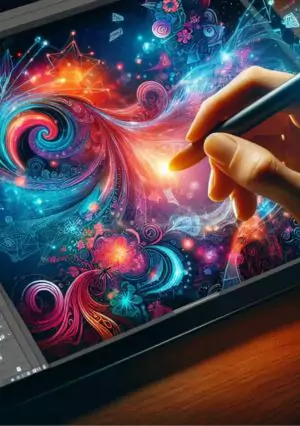
- Digital Painting: A favorite for artists using custom brushes and stylus pressure.
- Web & Social Templates: Includes preset templates for Instagram, YouTube, and more.
Which One Should You Use?
No Compromise to quality creation
The Ultimate solution for making a good choice
While all three are incredibly powerful, your design goal should determine the tool of choice.
- Use Photoshop when working with images, photo manipulations, or digital painting.
- Use InDesign when building layouts for print or multi-page projects.
- Use Illustrator when creating logos, scalable illustrations, or vector-heavy designs.